When your fiber internet goes down, it is tempting to try to fix the cable yourself. But fixing fiber optic cable at home without tools has real limits — and some real safety concerns. This guide honestly explains what you safely can and cannot do without proper equipment, the steps that resolve most home fiber problems, and when you must call your provider.
The honest answer up front: you cannot truly repair a broken fiber at home without tools. A real repair means splicing glass, which requires a cleaver, a splicer or mechanical splice, and inspection gear. What you can do is fix the most common non-break problems and safely rule out simple causes.
Safety First: Why Fiber Is Different
Before touching anything, understand two hazards. First, fiber can carry invisible laser light — never look directly into a fiber end, a connector, or a port that may be live, because the wavelengths used can harm your eyes without you noticing. Second, broken glass fiber produces tiny, extremely sharp shards that can pierce skin and are dangerous to eyes; if a fiber is physically broken, do not handle the bare glass. These are the main reasons real repairs are left to equipped technicians.
What You Can Safely Do Without Tools
Most “fiber problems” at home are not broken glass at all — they are loose connections, dirty connectors, or equipment issues. These you can address safely.
1. Reseat the Fiber Connector
Gently unplug the fiber patch cord from your ONT (the fiber box) and plug it back in until it clicks. A loose or partially seated connector is a very common cause of lost signal. Handle the cord by the connector, never by pulling the cable.
2. Check for Sharp Bends or Pinches
Fiber is sensitive to tight bends. Trace the visible cable and gently relieve any sharp kinks, tight loops, or spots where furniture is pinching it. Do not force or over-bend the cable; simply give it a gentle, natural curve.
3. Clean the Connector (Carefully)
Contamination on the connector end face is the single most common cause of fiber problems. Even without a full cleaning kit, keeping dust caps on when a cord is unplugged helps. If you have a proper fiber cleaning tool, use the inspect–clean–inspect approach — but never use household wipes, tissues, or your fingers, which leave lint and oils and can scratch the glass.
4. Reboot the ONT and Router
Many outages are not the cable at all. Power the ONT and router off, wait a short time, and power them back on so they re-establish the link. A steady (not red or flashing) status light on the ONT usually indicates the fiber connection is back.
What You Cannot Fix Without Tools
| Problem | Can You Fix It at Home? | Why |
| Loose or unplugged connector | Yes | Simply reseat it |
| Sharp bend or pinch | Yes | Gently relieve the bend |
| Dirty connector | Sometimes | Only with proper cleaning tools |
| ONT/router glitch | Yes | Reboot the equipment |
| Broken or cut fiber | No | Requires cleaving and splicing tools |
| Damaged outside/drop cable | No | Provider’s responsibility |
Common Home Fiber Symptoms and What They Mean
Matching the symptom to the likely cause helps you decide what to try. If your ONT shows no fiber or PON light at all, the connection is not registering — reseat the fiber connector and reboot, and if it stays dark, the issue may be on the provider’s side. A red or alarm light after rebooting usually points to a signal or provisioning problem that the provider must resolve. If the connection drops intermittently, look for a sharp bend, a partially seated connector, or a cord being pinched by furniture. And if speeds are poor but the link is up, the fiber itself is probably fine and the problem lies with the router, Wi-Fi, or the service plan rather than the cable. Working through symptoms this way keeps you focused on the safe, tool-free fixes and tells you when the problem genuinely needs your provider.
Why You Can’t Splice Fiber Without Tools
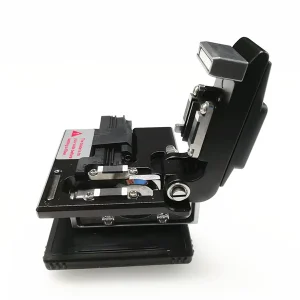
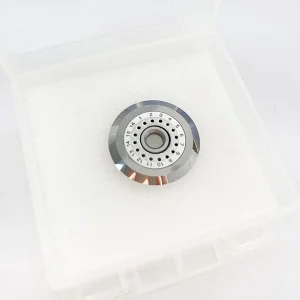
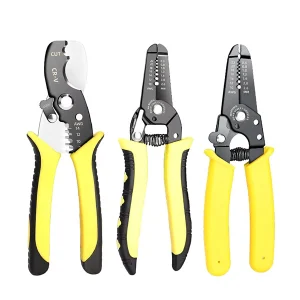
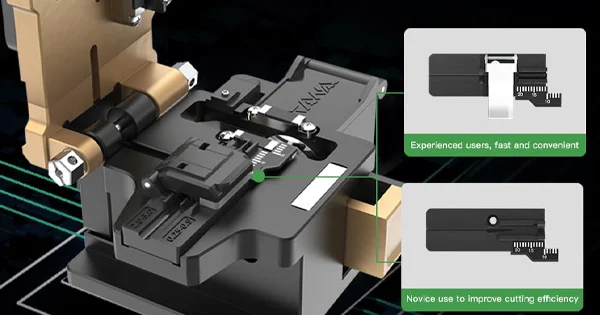
A real fiber repair joins two glass ends so light passes through with minimal loss. That demands specific tools: a stripper to remove the coating, a cleaver to make a precise flat end, and either a fusion splicer or a mechanical splice to join them, plus inspection to verify the result. Without these, any attempt to “join” a broken fiber will not carry a signal and can make things worse. This is not a job improvised materials can do — it is precision work on glass thinner than a hair.
What to Have Ready Before You Call
If the simple fixes do not work and you need to contact your provider, a little preparation speeds up the resolution. Note the exact status lights on your ONT — which are lit, which are off, and any that are red or flashing — because these tell the provider a great deal about where the fault lies. Mention what you have already tried, such as reseating the fiber connector and rebooting the ONT and router, so they do not ask you to repeat steps. Describe when the problem started and whether it is constant or intermittent. If you can, have your account details and the equipment model to hand. Because the ONT is the demarcation point, the provider can often run a remote test up to it and tell you immediately whether the fault is on their side or inside your home, which saves a visit when the issue turns out to be simple.
When to Call Your Provider
Contact your internet provider if the fiber is physically broken or cut, if the fault is in the drop cable coming into your home, if the ONT shows a persistent red or fault light after rebooting and reseating, or if reseating and rebooting do not restore service. Because the ONT is typically the demarcation point between the provider’s network and your home, anything on their side of it is their responsibility to repair — and they have the tools and training to do it safely.
If You Want to Do Fiber Work Properly
If you find yourself needing to terminate or repair fiber regularly, the answer is to get the right tools rather than to improvise. Aevumix supplies fiber cleavers, strippers, termination kits, cleaning tools, and inspection and test equipment for doing the job safely and correctly. If you would like help choosing the right tools for fiber termination or repair, contact our team.
FAQs
Can I Fix a Broken Fiber Optic Cable at Home Without Tools?
No. Repairing a broken fiber means splicing glass, which requires a cleaver, splicer or mechanical splice, and inspection tools. Without them you cannot make a working repair. You can, however, fix loose connectors, bends, and equipment glitches.
Is It Safe to Handle a Broken Fiber?
No. Broken fiber produces tiny sharp glass shards that can injure skin and eyes, and a live fiber may carry invisible laser light that is harmful to look into. Leave physically broken fiber to an equipped technician.
My Fiber Internet Is Down — What Can I Try First?
Reseat the fiber connector on the ONT, relieve any sharp bends, and reboot the ONT and router. Many outages are loose connections or equipment glitches rather than a damaged cable. If service does not return, contact your provider.
Can I Clean a Fiber Connector With a Tissue?
No. Tissues, household wipes, and fingers leave lint and oils and can scratch the glass. Use a proper fiber cleaning tool with the inspect–clean–inspect method, or keep dust caps on and leave cleaning to someone with the right tools.
When Should I Call My Internet Provider?
Call them if the fiber is broken or cut, the drop cable is damaged, the ONT shows a persistent fault light after rebooting, or reseating and rebooting do not restore service. The ONT is usually the demarcation point, so anything on their side is their responsibility.