If you work on fiber networks, you will encounter two similar-sounding tools: the optical power meter and the PON power meter. They both measure light, but they are built for different jobs. This guide explains the difference between a PON power meter and an optical power meter, how each works, and when to use which.
The Short Answer
A standard optical power meter (OPM) measures the power of a single light signal at one wavelength at a time, on a dark (out-of-service) fiber. A PON power meter is a specialized meter that sits inline on a live PON (Passive Optical Network) connection and measures the upstream and downstream wavelengths simultaneously while the network is in service. In short: the OPM is a general-purpose loss tool for dark fiber; the PON meter is a purpose-built tool for testing active PON links without disrupting them.
How a Standard Optical Power Meter Works
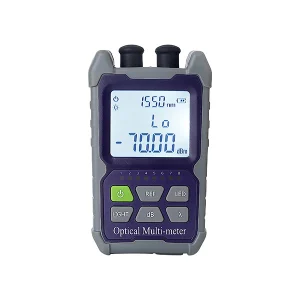
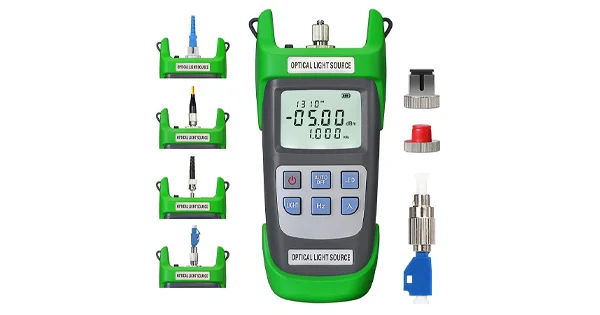
An optical power meter uses a calibrated photodiode to convert incoming light into an electrical reading, displaying the result in dBm (absolute power) or dB (loss relative to a reference). It is typically used with a matched light source at the far end to measure a link’s insertion loss on a fiber that is not carrying live traffic. You set a wavelength (such as 1310, 1550, or 1625 nm), take a reading, and the meter reports the power at that wavelength. It is the standard tool for Tier 1 loss certification and general troubleshooting — but it measures one wavelength at a time and generally expects a single, dedicated signal.
How a PON Power Meter Works
A PON power meter is designed for the specific architecture of a passive optical network, where a single fiber carries multiple wavelengths in both directions at once: downstream signals from the OLT to the subscriber and upstream signals from the ONT/ONU back to the OLT. Its defining features are:
- Pass-through (inline) operation: it connects between the ONT and the network with two ports, so the live signal passes through it while it measures — no service interruption.
- Simultaneous multi-wavelength measurement: it reads the PON wavelengths at the same time, typically 1310 nm upstream, 1490 nm downstream (voice/data), and 1550 nm (video overlay).
- Burst-mode awareness: it correctly handles the bursty upstream traffic that PON uses.
- Pass/fail thresholds: it evaluates each wavelength against expected power levels for quick go/no-go results.
This lets a technician verify a live subscriber connection in seconds without taking it down.
Side-by-Side Comparison
| Feature | Optical Power Meter | PON Power Meter |
| Fiber state | Dark (out of service) | Live (in service) |
| Wavelengths | One at a time | Multiple simultaneously (1310/1490/1550 nm) |
| Connection | Single port, end of link | Pass-through (inline), two ports |
| Direction | One signal | Upstream and downstream together |
| Main use | Loss certification, general testing | Live PON activation and troubleshooting |
| Disrupts service? | Yes (fiber must be dark) | No |
When to Use Each
Choose the tool by the task. Use a standard optical power meter when you are certifying a new link’s insertion loss with a light source, troubleshooting a dark fiber, or measuring a single wavelength’s power — the everyday loss-testing scenarios. Use a PON power meter when you are activating or troubleshooting a live PON subscriber and need to confirm the upstream and downstream power at the ONT without interrupting the customer’s service. Field technicians activating FTTH connections rely on PON meters precisely because they can validate a working line in place.
Understanding PON Wavelengths
The reason a PON meter reads several wavelengths at once makes more sense with a little background on how PON shares a single fiber. A passive optical network multiplexes different services onto different wavelengths so they can travel together without interfering. Downstream voice and data from the OLT typically ride at 1490 nm, the upstream traffic from each subscriber’s ONT returns at 1310 nm, and an optional RF video overlay is carried at 1550 nm. Because all of these coexist on the same glass at the same time, a meaningful field measurement has to capture them together and report each one against its expected level — a single downstream reading tells you nothing about whether the upstream path is healthy. This is precisely the capability a PON power meter is built around, and it is why the tool is defined by simultaneous, wavelength-selective, in-service measurement rather than the single-wavelength reading a general optical power meter provides.
Why You Can’t Just Use an OPM on a Live PON
It is tempting to think a regular OPM could test a PON link, but there are two problems. First, an OPM reads one wavelength at a time and is not built to separate the simultaneous upstream and downstream PON wavelengths. Second, connecting a standard single-port meter means breaking into the link, which disrupts the live signal. The PON meter solves both issues with its pass-through design and simultaneous multi-wavelength reading — which is exactly why it exists as a distinct tool.
Reading a PON Meter Result
Interpreting a PON meter is straightforward once you know what it reports. For each wavelength, the meter shows the measured power and, on most units, a pass/fail indication against configured thresholds. A healthy downstream reading confirms the OLT signal is arriving at adequate strength; a healthy upstream reading confirms the subscriber’s ONT is transmitting at the right level; and the video-overlay wavelength, if present, is checked the same way. A reading that is low or failing on a particular wavelength points to where the problem lies — a weak downstream suggests an issue back toward the OLT or splitter, while a weak upstream points toward the ONT or the drop. Because the meter reads in-service and inline, you get this diagnosis without disturbing the customer’s connection, which is exactly what makes it so efficient for activation and troubleshooting. Recording these values also documents that the link was validated at turn-up.
Do You Need Both?
Many fiber technicians carry both, because they cover different stages of the network’s life. During construction and certification, the OPM (with a light source, as an OLTS) proves the loss budget on dark fiber. During activation and ongoing service, the PON meter validates and troubleshoots the live connection. Neither fully replaces the other; together they cover a PON from build-out to in-service support.
Get the Right Power Meters for Your Network
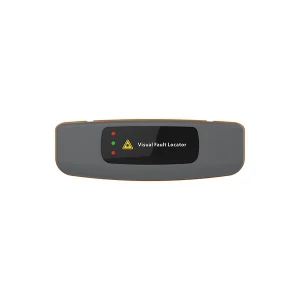
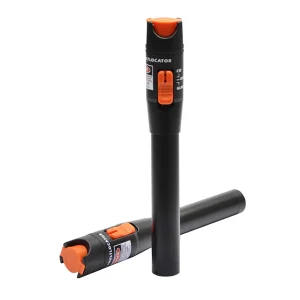
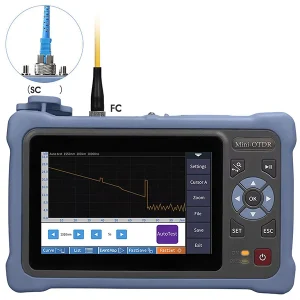
Whether you are certifying dark fiber or activating live PON links, the right meter makes the job accurate and fast. Aevumix supplies optical power meters, PON power meters, light sources, VFLs, and OTDRs for single-mode and PON networks. If you would like help choosing between an optical power meter and a PON meter for your work, contact our team.
FAQs
What Is the Difference Between a PON Power Meter and an Optical Power Meter?
A standard optical power meter measures one wavelength at a time on a dark fiber. A PON power meter connects inline on a live PON link and measures the upstream and downstream wavelengths simultaneously without interrupting service.
Can I Use a Regular Optical Power Meter on a PON?
Not effectively. A regular meter reads one wavelength at a time and would require breaking into the live link, disrupting service. A PON meter’s pass-through design and simultaneous multi-wavelength measurement are needed to test a live PON.
What Wavelengths Does a PON Power Meter Measure?
Typically the three PON wavelengths at once: 1310 nm upstream, 1490 nm downstream for voice and data, and 1550 nm for the video overlay, evaluating each against expected power thresholds.
What Does “Pass-Through” Mean on a PON Meter?
It means the meter has two ports and sits inline between the ONT and the network, so the live signal passes through it while it measures. This lets you test an active subscriber connection without taking it out of service.
Do I Need Both a PON Meter and an Optical Power Meter?
Often yes. The optical power meter certifies loss on dark fiber during construction, while the PON meter validates and troubleshoots live subscriber links during activation and service. They cover different stages of the network.