A LAN cable tester is the fastest way to confirm that the Ethernet cabling behind your network actually works before you blame the switch, the router, or the software. Learning how to use a LAN cable tester takes only a few minutes, and it can save hours of frustrating troubleshooting. This guide walks through the process step by step, with a focus on verifying LAN cabling correctly.
What a LAN Cable Tester Checks
A LAN cable tester validates the physical health of your Ethernet cabling. At a minimum it confirms two things: continuity (every conductor forms a complete path end to end) and wiremap (each wire lands on the correct pin at both ends, with the pairs preserved). Together these catch the faults that quietly break a LAN — opens, shorts, reversed pairs, crossed pairs, and split pairs.
Proving the cabling first is the smart order of operations: it stops you wasting time on switch settings, VLANs, or IP configuration when the real problem is a bad wire.
Why Verify Cabling Before Anything Else
It is worth being explicit about why this simple test earns its place at the very start of troubleshooting. Wired networks depend on a sound physical layer, and a large share of reported “network problems” trace back to nothing more exotic than a bad cable or a miswired jack. When you prove continuity and a correct wiremap first, you eliminate that entire category of faults in a couple of minutes, so any time spent afterward on switches, VLANs, or IP configuration is spent on the real problem rather than chasing a ghost created by a broken conductor. Skipping this step is how technicians lose hours reconfiguring perfectly good equipment. A LAN cable tester is, in effect, the cheapest insurance you can buy against that wasted time.
What You Need Before Testing
- A LAN cable tester with a main unit and a remote (far-end) unit.
- The cable or link you want to test, disconnected from all equipment.
- Patch cords if you are testing a permanent link through wall outlets and a patch panel.
How to Use a LAN Cable Tester: Step by Step
Step 1: Disconnect the Cable From All Equipment
Unplug the cable from the switch, router, or PC at both ends. Never run a wiremap or continuity test on a cable still plugged into a live network device — the tester’s signal can damage the switch port or the tester itself.
Step 2: Connect Both Ends to the Tester
Plug one end of the cable into the main unit and the other end into the remote unit. For a permanent link, connect a patch cord from the wall outlet to the main unit at the work area, and another from the patch panel to the remote unit in the closet.
Step 3: Power On and Run the Test
Switch on the tester. It will send a low-voltage signal down each conductor in sequence and check which pin receives it at the remote end. Most units run through all eight conductors automatically in a second or two.
Step 4: Read the Wiremap Result
Watch the tester’s indicators or screen. A clean pass shows every pin (1 through 8) mapping correctly in order, with the pairs intact. The tester will flag any open, short, reversal, cross, or split pair, usually pointing to which conductor is at fault.
Step 5: Fix and Re-Test
If the test fails, re-terminate the connector or jack at the fault end, then test again. A LAN cable should not go into service until it passes a clean wiremap.
Understanding LAN Tester Results
| Result | What It Means | Likely Fix |
| All pins map in order | Cable is wired correctly (pass) | Ready to use |
| One pin shows no signal | Open — a broken or unseated conductor | Re-terminate; check the punch-down |
| Two pins register together | Short between conductors | Re-terminate; check for pinched wires |
| Pins map to the wrong positions | Reversed or crossed pair | Re-terminate to the correct T568A/T568B order |
| Continuity passes but pairing is wrong | Split pair | Re-terminate keeping twisted pairs together |
Getting Accurate, Repeatable Results
A few habits keep your LAN testing reliable. Make sure connectors are fully seated before testing, since a loose plug causes false failures. Test in a controlled setup free from movement that could disturb the connection. Keep the cable disconnected from powered equipment. And if you are verifying a whole installation, test every drop rather than spot-checking — the one you skip is often the one with the fault.
Testing Patch Cords vs Permanent Links
How you connect the tester depends on what you are checking. A patch cord is simple: plug each end straight into the main and remote units and read the result. A permanent link — the fixed cabling running through the walls between a wall outlet and a patch panel — needs a patch cord at each end to reach the tester, so you are really testing the fixed run plus those temporary cords. Keep the test cords known-good and consistent, because a fault in a test cord will show up as a fault in the link. When a whole installation is being verified, label each drop as you test it so nothing is missed and every result is traceable back to a specific outlet.
Common LAN Faults and What Causes Them
Most LAN wiring failures trace back to a handful of termination errors. Opens usually come from a conductor that was not fully seated in the punch-down or crimp. Shorts often result from a nicked or pinched wire during termination. Reversed and crossed pairs come from following the wrong color order at one end. Split pairs — the trickiest — happen when wires are connected end to end but not kept within their correct twisted pairs, which can pass a naive continuity check yet ruin high-speed performance through crosstalk. Because a good wiremap tester distinguishes all of these, it not only tells you a cable failed but points you to the specific mistake to fix, which is what makes re-termination quick.
When a LAN Tester Isn’t Enough
A basic LAN cable tester confirms wiring is correct, but it does not measure whether the cable can actually support a given speed. A cable can pass a wiremap and still fail Gigabit if the pairs are untwisted too far at the termination. For speed and performance readiness you need a qualification tester; for formal standards sign-off, a certification tester that measures crosstalk and insertion loss.
Good Habits for Reliable LAN Verification
Consistency separates dependable verification from hit-or-miss checks. Adopt a fixed routine: inspect the connector, seat both ends fully, run the test, and record the result before moving on. Keep a small set of known-good test cords reserved only for testing, so a worn jumper never masquerades as a link fault. Test every drop in an installation and label each result to its outlet, because the one drop you skip is often the one with the problem. When a cable fails, fix it and re-test rather than assuming the repair worked. And keep the tester’s batteries fresh and its firmware current, since a tester that gives inconsistent readings undermines the whole point of testing. These habits cost little and make your pass/fail results genuinely trustworthy.
Test Tools for Copper and Fiber Networks
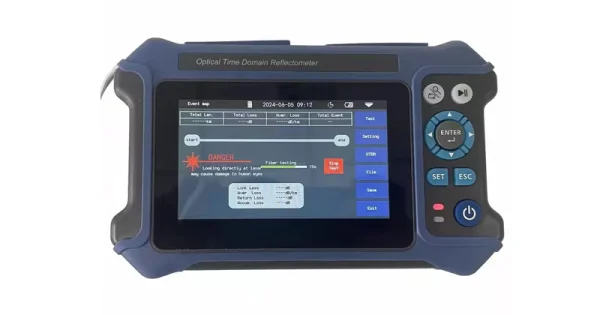
As networks add fiber alongside copper, your test kit needs to cover both. Aevumix supplies a full range of network and optical communication test equipment — from copper cable testers to optical power meters, light sources, and OTDRs. If you would like help choosing the right testers for your LAN and fiber cabling, contact our team.
FAQs
Do I Need to Unplug the Cable Before Testing?
Yes. Disconnect the cable from all network equipment at both ends before a continuity or wiremap test. Testing a cable plugged into a live switch can damage the switch port or the tester.
What Does a Passing Result Look Like?
A pass shows every conductor (pins 1 to 8) mapping correctly and in order at both ends, with the twisted pairs preserved. Any open, short, reversal, cross, or split pair is a failure.
Why Does My Cable Pass Wiremap but the Network Is Still Slow?
A wiremap tester only checks wiring, not performance. If wiring is correct but speed is poor, the pairs may be untwisted too far at the termination, or the cable may not meet the category needed. Use a qualification or certification tester to check performance.
Can One Person Test a LAN Cable Alone?
Yes. LAN testers use a two-piece design — a main unit and a remote unit — so a single technician can connect both ends of a run and read the result without a second person.
What Is a Split Pair, and Why Does It Matter?
A split pair happens when wires are connected end to end but not kept within their correct twisted pairs. It can pass a basic continuity check yet cause crosstalk and unreliable high-speed performance, so wiremap testing that detects it is important.