You have run an OTDR test, and it saved the results as a file ending in .sor. Double-click it, and Windows has no idea what to do. If you are wondering how to open a SOR OTDR file, this guide explains what a .sor file is, the software and online tools that open it, and how to read what is inside.
What Is a SOR File?
SOR stands for Standard OTDR Record. It is the file format OTDR instruments use to store the trace data from a fiber test. A .sor file contains the fiber trace along with measurements such as distance, reflectance, loss, and fiber attenuation recorded while testing a link.
The format is defined by the Telcordia SR-4731 standard (originally developed by Bellcore, hence sometimes called the Bellcore format). Because it is an industry-standard storage format, .sor files are used by essentially all OTDR vendors, which allows traces to be shared across platforms. One caveat: some vendors add proprietary data blocks to their .sor files, so full compatibility between every tool and every file is not always guaranteed.
Why Windows Can’t Open a SOR File by Default
A .sor file is a binary data file, not a document or image, so the default Windows File Explorer does not recognize it. Without the right software, the file will not open, and in File Explorer every .sor file tends to show the same generic icon, which makes identifying the right trace difficult. To view the actual trace, you need an OTDR analysis application.
How to Open a SOR File: Your Options
Option 1: Vendor OTDR Software (Desktop)
The most common way is a dedicated OTDR trace viewer or analysis application on a Windows PC. Widely used programs include VeEX Fiberizer Desktop and VIAVI FiberTrace, among vendor-specific tools that ship with OTDR instruments. These open the trace, show the events, and let you analyze and produce reports.
Option 2: Online SOR Viewers
If you just need a quick look without installing software, browser-based SOR viewers let you open a .sor file and see the trace directly in your browser, with some able to export the trace to a PDF report. These are handy for a fast check or for sharing a result with someone who lacks the vendor software.
Option 3: Open-Source Parsers (for Data Extraction)
If you want to pull the raw trace data out for your own analysis — for example into CSV or JSON — open-source parsers exist, such as pyOTDR (Python) and other libraries. These are aimed at developers and technicians who need the underlying data points rather than a visual trace, and they typically support the widely used version 2 of the SR-4731 format.
Step by Step: Opening a SOR File on Windows
If you have a .sor file and want to view it on a Windows PC, the process is straightforward once you have suitable software. First, install an OTDR analysis application — either the tool that came with your OTDR or a general viewer such as Fiberizer Desktop or FiberTrace. Second, launch the application rather than double-clicking the file, since the file itself is not associated with any program by default. Third, use the application’s Open command and browse to your .sor file. Fourth, the trace and its event table will appear, ready to analyze. If you only need a quick look and do not want to install anything, upload the file to a browser-based SOR viewer instead. As an optional extra, some vendor tools let you set a file association or install a shell add-on so File Explorer shows a thumbnail preview of each trace, which makes finding the right file among many far easier.
Extracting Data From a SOR File
Sometimes you need the numbers behind the trace rather than the picture — for example to analyze many traces in a spreadsheet or feed results into your own tools. Most graphical viewers focus on display and reporting, and not all of them export the underlying trace curve. This is where open-source parsers help: tools like pyOTDR read the .sor file and dump the trace as data points, often as CSV or JSON, so you can process them however you like. Bear in mind that the SR-4731 specification is a proprietary standard, so these community parsers generally target the common version 2 format and may not interpret every vendor’s proprietary blocks. For pure viewing and certification, vendor software is best; for bulk data work, a parser is the practical route.
Ways to Open a SOR File at a Glance
| Method | Best For | Notes |
| Vendor desktop software | Full analysis and reporting | Most complete; e.g. Fiberizer, FiberTrace |
| Online SOR viewer | Quick look, no install, PDF export | Convenient for sharing a single trace |
| Open-source parser | Extracting raw data (CSV/JSON) | Developer-oriented; version 2 support |
Why the SOR Format Exists
It helps to understand why this single format matters so much. Before a common standard, sharing OTDR results between different brands of instrument and software was awkward, because each vendor stored traces differently. The SR-4731 Standard OTDR Record was created as a shared interchange format so that a trace captured on one manufacturer’s OTDR could be opened and analyzed on another’s software. That cross-compatibility is why .sor is the near-universal extension you will encounter, and why a contractor can hand a client a folder of traces that the client can open with their own tools. The one practical wrinkle is that vendors sometimes append proprietary blocks with extra, brand-specific data; standard viewers still read the core trace, but only the matching vendor software interprets those extra blocks fully. Knowing this explains why most files open almost anywhere, yet a few details occasionally appear only in the original brand’s application.
What You’ll See Inside a SOR File
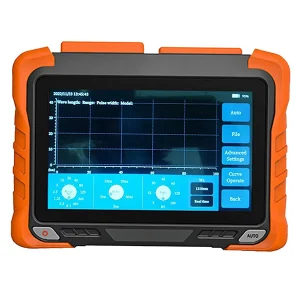
Once opened in a viewer, a .sor file displays the OTDR trace — the familiar plot of returning light versus distance — along with a list of detected events and their measurements. You can typically read the fiber attenuation, the loss and reflectance of each connector and splice, the distance to every event, and metadata such as the wavelength, pulse width, and fiber type used for the test. This is the same information used to accept, document, or troubleshoot a link.
Tips for Working With SOR Files
- Keep the vendor software handy: it gives the fullest analysis and honors any proprietary data blocks in your files.
- Use an online viewer for quick sharing: ideal when the recipient lacks the desktop tool.
- Note the metadata: wavelength, pulse width, and direction all affect how the trace should be read.
- Preserve originals: keep the raw .sor files as your as-built record, and export PDFs or CSVs as copies rather than replacements.
Get OTDRs and Analysis Tools
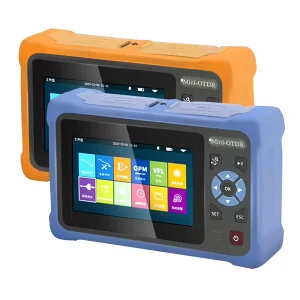
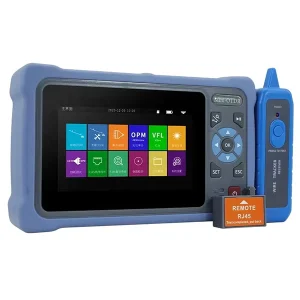
The .sor files you analyze are only as good as the OTDR that produced them. Aevumix supplies handheld and bench OTDRs, launch cables, and complete fiber test kits, along with the optical power meters, light sources, and visual fault locators that round out a testing toolkit. If you would like help choosing an OTDR that fits your workflow and reporting needs, contact our team.
FAQs
What Program Opens a SOR File?
OTDR analysis software opens .sor files — commonly VeEX Fiberizer Desktop or VIAVI FiberTrace on Windows, plus vendor tools that ship with OTDRs. Online SOR viewers and open-source parsers are alternatives for quick viewing or data extraction.
What Does SOR Stand For?
SOR stands for Standard OTDR Record. It is the file format, defined by the Telcordia SR-4731 (Bellcore) standard, that OTDR instruments use to store fiber trace data.
Why Won’t My SOR File Open in Windows?
Because a .sor file is a binary trace file that Windows File Explorer does not recognize by default. You need an OTDR analysis application, an online SOR viewer, or a parser to open and read it.
Can I Open a SOR File Online?
Yes. Browser-based SOR viewers let you open a .sor file and view the trace without installing anything, and some can export the result to a PDF report for sharing.
Are SOR Files the Same Across All OTDR Brands?
They share the common SR-4731 standard, so traces are broadly cross-compatible. However, some vendors add proprietary data blocks, so full compatibility with every tool is not guaranteed for every file.