If you work with Ethernet cables, you will eventually need to check whether an RJ45 cable is wired correctly and working. But what is the best tool to check RJ45? The answer depends on what you need to know — simple continuity, correct wiring, or full performance. This guide covers the main tools and helps you pick the right one.
What “Checking RJ45” Actually Means
An RJ45 is the 8-pin connector on the end of a twisted-pair Ethernet cable. “Checking” it usually means confirming two things: that all eight conductors form a complete path (continuity), and that each wire lands on the correct pin at both ends in the right order (wiremap), following the T568A or T568B standard. More advanced checks confirm the cable can actually carry a target speed.
Why Wire Order Is So Important
It is worth understanding why checking the wiring matters so much. An Ethernet connection relies on specific pairs of wires carrying signals in specific directions; the transmit pins on one device must line up with the receive pins on the other. The T568A and T568B standards define exactly which conductor sits on which pin so that this alignment is guaranteed when both ends follow the same standard. If even one wire is in the wrong position, the link can fail entirely or work erratically — and crucially, the outside of the cable looks perfectly normal. That invisibility is why a checking tool is essential: you cannot see a wiring fault, only measure it. A wiremap tester makes the invisible visible, confirming in seconds what no amount of looking at the cable jacket ever could.
The Best Tool: A Network Cable Tester (Wiremap Tester)
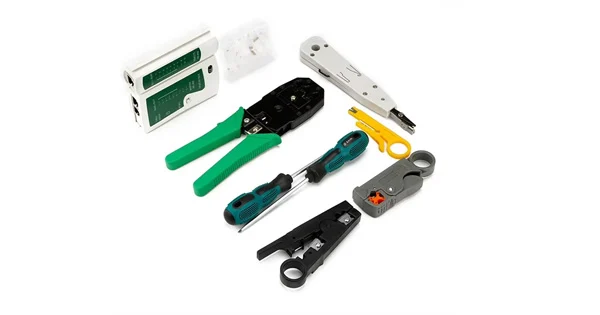
For most people, the best everyday tool to check an RJ45 cable is a network cable tester with wiremap. It is inexpensive, fast, and answers the two questions that matter: is there continuity, and are the wires in the right order? A wiremap tester sends a signal through each conductor in turn and reads which pin receives it at the far end, flagging opens, shorts, reversed pairs, crossed pairs, and split pairs. Most use a two-piece design — a main unit and a remote unit — so one person can test a full run.
This is the right tool because wrong wire order is the number-one reason Ethernet cables fail, and a wiremap tester catches it in seconds.
Choosing the Right Tool for the Job
| Tool | What It Checks | Best For |
| Continuity tester | Complete path; basic breaks and shorts | The simplest “is it intact?” check |
| Wiremap tester | Continuity + correct pin order (T568A/B) | Everyday RJ45 verification (recommended) |
| Qualification tester | Whether the link supports a target speed | Confirming Gigabit, VoIP, PoE readiness |
| Certification tester | Crosstalk, insertion loss vs standards | Formal ISO/IEC or ANSI/TIA sign-off |
| Toner & probe | Tracing/identifying a cable in a bundle | Finding which cable is which |
Understanding the Faults a Tester Finds
Knowing what each fault means helps you act on a tester’s result. An open is a conductor with no complete path — usually a wire that was not fully seated or a broken conductor. A short is two conductors touching that should not, often from a nicked or pinched wire. A reversed pair has the two wires of a pair swapped, and a crossed pair has whole pairs landing in the wrong positions — both come from following the wrong color order at one end. The trickiest is the split pair, where the wires are electrically continuous end to end but not kept within their correct twisted pairs; it can pass a naive continuity check yet cause crosstalk and unreliable high-speed performance. A good wiremap tester distinguishes all of these and points to the specific conductor at fault, so you re-terminate exactly what is wrong instead of guessing.
When a Wiremap Tester Is Enough — and When It Isn’t
A wiremap tester is enough for the vast majority of RJ45 checks: verifying a freshly crimped patch cable, confirming a wall drop is wired correctly, or ruling out the cable during troubleshooting. What it does not tell you is whether the cable can carry a specific speed. A cable can pass a wiremap and still fail Gigabit if the pairs are untwisted too far at the termination. For performance you need a qualification tester; for formal certification with documented crosstalk and insertion-loss results, a certification tester.
Testing Patch Cables vs Installed Runs
How you check an RJ45 depends on where it lives. A loose patch cable is the easy case: plug each end into the tester’s main and remote units and read the result directly. An installed run — the fixed cabling between a wall outlet and a patch panel — needs a patch cord at each end to reach the tester, so you are testing the permanent link plus those temporary cords. Keep those test cords known-good, because a fault in a test cord will masquerade as a fault in the run. When verifying a whole installation, test every outlet rather than spot-checking a few, and label each result to its location; the drop you skip is often the one with the problem. This discipline turns a quick check into reliable, traceable documentation of the cabling.
How to Check an RJ45 Cable With a Wiremap Tester
Using the recommended tool is simple. First, disconnect the cable from all equipment at both ends — never test a cable plugged into a live switch, as the tester’s signal can damage the port. Second, plug one end into the main unit and the other into the remote unit. Third, power on and let it run through the eight conductors. Fourth, read the result: a clean pass shows all pins mapping in order with pairs preserved, while any open, short, reversal, cross, or split pair is flagged. Fifth, if it fails, re-terminate the faulty end and re-test.
Don’t Forget Inspection First
Before testing, a quick visual check of the RJ45 plug helps: confirm all eight wires are fully seated and reach the end of the connector, that the wires are in the correct color order, and that no copper is exposed outside the plug. Many “failures” are simply a badly crimped plug, and spotting that by eye saves a test cycle.
Get the Right RJ45 and Fiber Test Tools
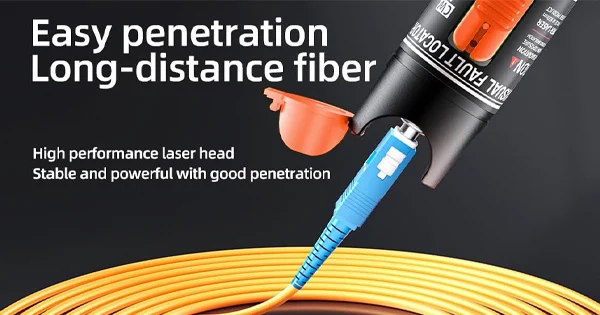
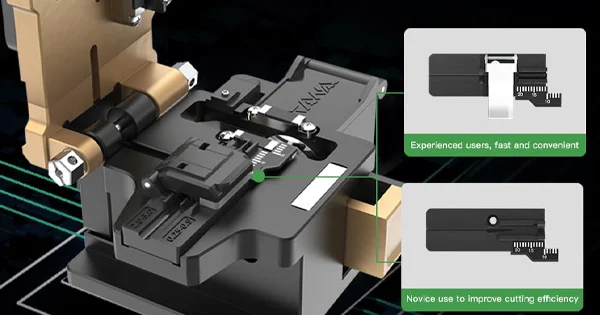
As networks combine copper and fiber, a complete kit spans both. Aevumix supplies network cable testers and a full range of optical communication test equipment — optical power meters, light sources, OTDRs, and visual fault locators — plus the termination and crimping tools for building cables. If you would like help choosing the right tools to check your RJ45 and fiber links, contact our team.
FAQs
What Is the Best Tool to Check an RJ45 Cable?
For everyday use, a network cable tester with wiremap is best. It quickly confirms continuity and correct pin order (T568A/B) and flags opens, shorts, and reversed, crossed, or split pairs — the faults that most often break Ethernet cables.
Can I Check an RJ45 Cable Without a Tester?
You can visually confirm the wires are fully seated, in the correct order, and not exposed, which catches obvious crimp errors. But to verify continuity and wiremap reliably, a cable tester is the right tool.
Do I Need a Certification Tester for RJ45?
Only for formal sign-off. A wiremap tester handles everyday verification; a qualification tester confirms speed readiness; a certification tester measures crosstalk and insertion loss for documented compliance.
Why Does My RJ45 Cable Fail Even Though It Looks Fine?
Usually a wiring error — a wire in the wrong pin, not fully inserted, or pairs untwisted too far. A wiremap tester pinpoints the offending conductor so you can re-terminate exactly what is wrong.
Should I Unplug the Cable Before Checking It?
Yes. Disconnect from all equipment at both ends before a continuity or wiremap test. Testing a cable connected to a live switch can damage the port or the tester.